


Unblocked Games: What They Are, How They Work, and the Best Ones to Play on a Chromebook
Unblocked games are free browser games that people play on school or work networks that filter many websites. The word "unblocked" describes whether a site opens on a given network. It does not describe a special type of game. Because these games run inside a web browser, you do not need to install anything, which makes them a good fit for a Chromebook.
Chromebook Unlocked Games lists 183 browser games on one site, and every game has its own direct link. This guide explains what unblocked games are, why schools filter websites, how a school Chromebook decides which sites to open, and which games are worth trying first.
What Are Unblocked Games?
Unblocked games are online games that load in a browser on networks with website filters, such as school Wi-Fi. Most of them are small, free games that start in a few seconds. They cover many types of play, including puzzles, racing, sports, and arcade challenges.
Three points explain the term:
- "Unblocked" describes access. A game is unblocked on your network when no filter rule stops its website from opening.
- The game itself is ordinary. The same game can be blocked at one school and open at another.
- Browser games need no setup. You open a page, press Play, and start. There is no installer and no app to find.
No game site can promise to open on every network. Each school controls its own filter, and that filter can change at any time.
Why Do Schools Block Games?
Schools filter websites for several reasons, and the law is only one of them. Understanding the reasons helps explain why game sites are often on the blocked list.
The Federal Rule: CIPA
The Children's Internet Protection Act (CIPA) became law on December 21, 2000. It applies to schools and libraries that receive E-Rate discounts for internet access or internal connections. These schools must certify that they have an internet safety policy and a filter that blocks images that are obscene, that show child pornography, or that are harmful to minors.
CIPA does not mention games. A school or library may add broader rules of its own, but those extra rules are local choices and not federal requirements. In other words, when a school blocks a game site, the school made that decision.
Common Reasons Schools Give
- Focus on lessons. Schools want students to use class time for class work.
- Network capacity. A school network serves many devices at once, and administrators manage what uses it.
- Device and data safety. Schools block sites they do not know or cannot review, because some websites show harmful ads or links.
How Do School Chromebooks Block Websites?
School Chromebooks are usually managed by an administrator through the Google Admin console. In that console, the administrator can set a URL blocklist and a URL allowlist for managed users and devices.
| Setting | What it does |
|---|---|
| URL blocklist | Stops users from opening the listed websites. |
| URL allowlist | Lets users open listed websites, even when a blocklist rule would stop them. The allowlist takes priority over the blocklist. |
| Block everything except | Blocks all websites, then allows only a short approved list. |
Google's documentation says administrators can block and allow up to 1,000 URLs with this setting. It also recommends a content-filtering web proxy or extension for stronger filtering. Many schools use a separate filtering service on top of these settings.
This explains why results differ from school to school. Each administrator chooses what goes on the list, so a game site that opens in one district can stay blocked in another. Chromebook Unlocked Games cannot change your school's settings. If a site does not open, your school's filter is the cause, and your teacher or IT staff can tell you the policy.
Why Do Browser Games Work on a Chromebook?
A Chromebook runs ChromeOS, and its main tool is the Chrome browser. Browser games fit that setup because they load from a web page and run inside the browser tab. You do not install a program, and you do not need extra storage for a game client.
The games on Chromebook Unlocked Games use several browser technologies. The game pages we checked list HTML5 for Drive Mad, 2048, and Cookie Clicker, Unity WebGL for Slope, and GameMaker for Retro Bowl. All of them run in the browser without a download.
What Is Chromebook Unlocked Games?
Chromebook Unlocked Games is a browser game site at chromebook-unlocked.github.io. It lists free games for school Chromebooks and desktop browsers, and each game has its own page with a direct link. The facts below come from the site as of November 2026.
| Feature | Details |
|---|---|
| Number of games | 183 games, listed in an alphabetical directory |
| Number of categories | More than 45, from Action and Arcade to Puzzle, Racing, and Sports |
| How games open | In the browser, with no app download |
| Finding games | Search box, category menu, Newly Added list, and Recently Played list |
| Game pages | Each game has a direct link, a Fullscreen button, and short playing tips |
| Site policies | Privacy Policy, Cookie Policy, Terms of Service, Contact, and DMCA pages |
Top Unblocked Game Categories
The category menu is the fastest way to find a type of game you like. Each category below links to its list on the site, and the game counts come from the site's own game data as of November 2026.
Arcade 33 games
Fast, replayable games that need no tutorial. Examples include Slope, Block Blast, and Bad Ice Cream 2.
Puzzle 23 games
Games built around planning and pattern spotting, such as 2048, Cut the Rope, and Little Alchemy 2. This category suits players who want a slower pace.
Driving 15 games
Games where you control a vehicle. Drive Mad mixes steering with problem solving, and Polytrack adds racing.
Sports 11 games
Simple versions of sports with short rules. Retro Bowl is tagged Sports and Football, and it also appears under Retro and Mobile.
Clicker 9 games
Games where simple clicks earn points that you spend on upgrades. Cookie Clicker is the best-known example.
Physics 8 games
Games where weight, speed, and balance change the result. Red Ball and Drive Mad both carry this tag.
Idle 7 games
Games that keep building progress with little input, such as Cookie Clicker and Tiny Fishing. They are easy to check between other tasks.
Running 4 games
Games where your character keeps moving and you react to what appears ahead. Slope is tagged Running and Endless.
The full menu also includes Action (39 games), Adventure, Casual, Racing, Shooter, Strategy, Platformer, 2 Player (10 games), Multiplayer, Horror, and many more. Open the homepage to see every category.
Top 10 Unblocked Games to Play
These ten games cover a range of styles, and each one has its own page on the site. The tags under each game come from the site's own game data.
- Slope — A ball rolls down a steep track that keeps getting faster. You steer left and right to stay on the track and avoid obstacles.
- Drive Mad — You drive a vehicle through obstacle-filled levels toward a finish point. The physics decide how the vehicle lands, so careful driving beats speed.
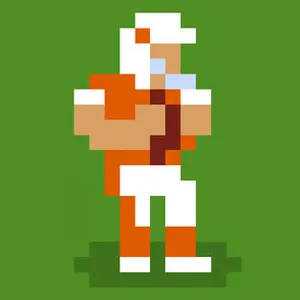
- Retro Bowl — A pixel-style football game where you run a team and play its offense. It runs on GameMaker.
- 2048 — You slide numbered tiles on a grid. Two tiles with the same number merge into one tile with a higher number, and the goal is to reach 2048.
- Cookie Clicker — You click a large cookie to earn cookies, then spend them on upgrades that bake more cookies for you.
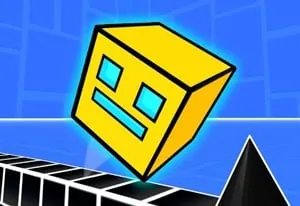
- Geometry Dash Lite — A rhythm-based platformer where a square jumps over spikes and gaps in time with the music. One mistake sends you back to the start of the level.
- Fireboy and Watergirl 1 — Two characters, one made of fire and one made of water, work together to reach the exit of each level. Each character can cross hazards that would harm the other.
- Cut the Rope — A physics puzzle where you cut ropes in the right order to drop candy into the mouth of a small green character. Timing and order matter more than speed.
- Little Alchemy 2 — You start with four basic elements and combine them to make new items. Each new combination opens more choices, so the game rewards curiosity.
- Tiny Fishing — You cast a line, catch fish, sell them, and buy upgrades that let you fish deeper. Sessions are short, and progress builds each time you return.
How Do You Play Unblocked Games on a Chromebook?
Playing takes a few steps. The site's own playing tips cover the controls, and they apply to the game pages we checked.
- Open the homepage. Go to chromebook-unlocked.github.io and let the page load.
- Find a game. Use the search box, pick a category from the menu, or browse the alphabetical directory of all 183 games.
- Open the game page. Each game has its own page and its own direct link.
- Press Play. The game loads inside the page.
- Click inside the game. This step lets the game receive your keyboard input.
- Use the keyboard. The playing tips say that arrow keys and the Space bar control the game instead of scrolling the page.
- Use Fullscreen if you want a bigger view. Press the Esc key to leave fullscreen.
Are Unblocked Games Safe?
Browser games carry fewer risks than downloaded programs because nothing installs on your device. Chromebook Unlocked Games states that its games launch in the browser without an app download. The site also publishes a Privacy Policy, a Cookie Policy, Terms of Service, a Contact page, and a DMCA page, so you can see how the site handles data and copyright questions.
Safe use still depends on your choices. These habits help on any game site:
- Never download files from a game page. A browser game does not need a download.
- Close pop-ups without clicking them. If a new tab opens that you did not expect, close it.
- Do not enter personal details. A game does not need your name, address, or passwords.
- Keep Chrome updated. Updates include security fixes.
- Pick games that fit your age. The library includes categories such as Horror and Shooter, so parents and teachers may want to browse the categories first.
Follow Your School's Rules
A game that opens on your Chromebook may still break a school rule. Many schools allow games only at certain times or only with a teacher's permission. Check your school's acceptable use policy, and play during free time or when your teacher says it is fine. If a site is blocked, do not try to get around the filter. Ask your teacher or IT staff whether the site can be approved.
Tips for a Better Game Session
- Close extra tabs. Fewer open tabs leave more memory for the game.
- Click the game window first. If the arrow keys scroll the page, click inside the game and try again.
- Use Fullscreen. A larger view makes small details easier to see.
- Try the Newly Added list. It shows recent additions, so you can find games you have not played.
- Use Recently Played. It helps you return to a game you liked.
- Bookmark the homepage. A bookmark to Chromebook Unlocked Games saves time when you want a short break.
Frequently Asked Questions
What are unblocked games?
Unblocked games are free browser games that people play on networks that filter many websites, such as school Wi-Fi. They run in a web browser, so they need no download or installation.
Are unblocked games free?
Yes. Chromebook Unlocked Games describes its library as free browser games, and you play each game on its page without installing an app.
Do unblocked games work on a Chromebook?
Yes. They run in the Chrome browser, and the game pages on this site list the platform as a web browser for Chromebook and desktop.
Do I need to download anything to play?
No. The site states that games launch in your browser without an app download.
Why is a game site blocked at my school?
Your school's filter rules block it. Schools set these rules locally, and the federal CIPA rule covers harmful images, not games. Your teacher or IT staff can explain the policy.
How many games does Chromebook Unlocked Games have?
The site lists 183 games across more than 45 categories as of November 2026. New games appear in the Newly Added list.
Which unblocked game is best for a short break?
Games with quick rounds suit a short break. Slope, 2048, and Tiny Fishing all start fast and are easy to stop and resume.
Which games can two people play together?
The site has a 2 Player category with 10 games. Fireboy and Watergirl 1 and Bad Ice Cream 2 both carry the 2 Player tag. Check each game page for its controls.
Why do the arrow keys not work in a game?
The game may not have your keyboard focus yet. Press Play, then click inside the game window. The arrow keys and Space bar then control the game instead of scrolling the page.
Are all the games suitable for children?
No. The library includes many types of games, including Horror and Shooter categories. Parents and teachers should review the categories and choose titles that suit the player's age.
How do I play in fullscreen?
Press the Fullscreen button on the game page. Press the Esc key to leave fullscreen.